Is Your Access Control Working for You — or Against You?
 Jay Hobdy
A practical guide for Atlanta multifamily property managers to close the access control gaps that create liability — before they become incidents.
What are the most common access control problems in multifamily properties? After years of working with apartment communities across the Atlanta market, Gotcha Security sees the same issues repeatedly: ghost credentials that were never deactivated, vehicle gate failures caused by damaged detection loops, and intercoms that frustrate residents long before management finds out. Access control failures don’t just create security vulnerabilities — they generate negative Google reviews, increase liability exposure, and surface during insurance audits. Here’s a practical checklist to get ahead of all three.
1. Audit Your Active Access Credentials Regularly
Ghost credentials are one of the most widespread and underappreciated security vulnerabilities in multifamily housing. These are active fobs, keycards, or PIN codes that remain enabled in the system after the person they were issued to — a former resident, ex-employee, or expired vendor — no longer has authorized access. Older systems like DoorKing are especially prone to this problem because they require entirely manual deactivation with no connection to leasing data. In communities that haven’t audited recently, we regularly find a significant share of active credentials belonging to people who should have been removed months ago.
It’s also important to understand that physically collecting a key fob or access card is not a reliable method of removing access. Most credentials used in multifamily housing can be cloned at retail locations like Home Depot, meaning a copy may already exist even if the original is returned. The only reliable way to remove access is deactivation in the system.
How to audit your multifamily access credentials:
- Pull a full list of active credentials from your access control software — most platforms make this straightforward.
- Cross-reference the list against your current resident roster, active vendor contracts, and current staff.
- Deactivate any credential that can’t be matched to an authorized person — immediately. Do not rely on key or fob collection alone.
- Set a calendar reminder to repeat this audit at every lease renewal cycle, or at minimum quarterly.
Why it matters: Every unauthorized credential — whether still active or cloned — is an open door. If an incident occurs and your audit trail shows active access for someone who should have been deactivated, that’s a liability exposure that’s very difficult to explain.
If your system is installed by Gotcha Security, platforms like Swiftlane, LiftMaster, and Accentra Multifamily integrate directly with your property management software — residents are automatically removed when their lease expires, eliminating ghost credentials at the source. Learn more in our Swiftlane access control guide:
2. Inspect Your Vehicle Gate Detection Loops Regularly
Vehicle gates are the most visible security feature on a multifamily property — and when they fail, residents notice immediately and post about it. The most common gate failure we see isn’t a motor breakdown; it’s a failed vehicle detection loop. These are sensors embedded under the pavement at entry and exit points that tell the gate a vehicle is present. When a loop fails, the gate loses the ability to detect a vehicle in its path and can close directly on a car. The most common cause isn’t pavement damage — it’s asphalt aging and cracking over time, which gradually damages the insulation on the loop wires. The dangerous part is that this failure is nearly impossible to detect visually while vehicles are passing through normally. By the time anyone knows the loop has failed, a gate has often already closed on a car.
How to stay ahead of vehicle gate failures:
- Have your vehicle detection loops tested with a megohmmeter — this is the only reliable method to identify insulation breakdown before a failure occurs. Visual inspection alone cannot detect a deteriorating loop wire.
- Test pedestrian access doors: the door strike should release within one second of a valid credential being presented.
- Inspect gate tracks and rollers for debris — especially after storms or heavy landscaping activity.
- Consider a quarterly preventive maintenance program — Gotcha Security offers quarterly gate PM and inspections to identify loop failures, mechanical wear, and safety device issues before they result in a vehicle strike or emergency service call.
Why it matters: A gate that closes on a vehicle is a liability claim and a story your residents will share on Google and social media before you even know about it. Preventive maintenance and loop inspections cost a fraction of a single emergency repair — and far less than the cost of a vehicle strike and the negative attention that follows.
3. Make Sure Your Intercoms Are Resident-Ready
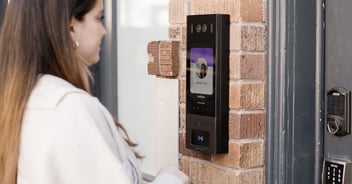
Your entry intercom is often the first point of contact between a visitor and your community — and the last line of defense before unauthorized access occurs. Residents notice intercom problems long before management does, and muffled audio, outdated directories, blurry cameras, and app connectivity issues are exactly the kind of persistent frustrations that generate one-star Google reviews and lease non-renewals.
Monthly intercom maintenance checklist:
- Call through your entry intercom and confirm audio is clear on both ends — test both the unit speaker and the phone or app connection.
- If your intercom connects to a smartphone app, verify the app is updated and the unit directory reflects your current resident roster.
- Test the door release from both the intercom unit and the app to confirm both methods work independently.
- Check the intercom camera image — a blurry or obstructed view undermines resident confidence and reduces its value as a security tool.
Why it matters: A non-functioning intercom is a security gap and a reputation risk. Residents who can’t get guests in, or who deal with a system that crackles and drops calls, will post about it on Google and social media before they knock on the office door. Keeping your intercom functional and current is a direct investment in both safety and resident satisfaction.
4. Manager Transitions: Who Has Access to What — and Who Should Not Anymore
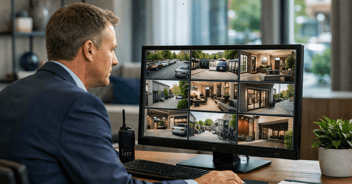
Manager turnover is a reality in multifamily operations — and it is one of the most common triggers for a security access gap. When a property manager leaves, their system credentials rarely get updated in the first few days. The incoming manager or covering regional manager then discovers they cannot log in to pull camera footage, cannot access the access control platform, or cannot reach the monitoring company to cancel a false alarm — because they do not have the account number or verbal password. We get these calls regularly. It is one of the most preventable problems we see.
System access every property should have documented and current:
Camera management software login — the current manager should be able to pull up live and recorded footage from their phone or laptop right now.- Access control platform credentials — the login used to issue and deactivate fobs, cards, and PINs. Without current access, nobody can remove a former resident’s credentials or issue new ones.
- Alarm monitoring account number and verbal cancellation password — the on-call manager must have both. Without the verbal password, a false alarm cannot be cancelled and a dispatch cannot be stopped.
- Central monitoring station direct phone number — not just the alarm dealer’s number. The central station is who actually receives and dispatches alarms. Know the difference and have both numbers on file.
- Intercom management app access — confirm the current manager is set up in the app and that the outgoing manager’s access has been revoked.
One step that costs nothing: save your central station’s number in your phone. The central station will call the on-call manager when an alarm triggers. If that number is not saved, the call reads as unknown and gets missed. Make sure every manager and on-call contact has the central station numbers saved before they need them. If your property is monitored by Gotcha Security: Primary: 800-836-0142 | Backup: 800-633-2677.
A practical fix: The right fix is not a shared password document — sharing credentials across multiple people eliminates the audit trail that makes your security systems valuable in the first place. The right fix is making Gotcha Security part of your onboarding and offboarding process. When a manager joins or leaves, a quick call to us gets the right people set up with their own credentials and the outgoing manager removed. Every access event stays tied to the right individual, your systems stay current, and you are never relying on a shared login that undermines your own documentation.
Small Habits, Big Liability Protection
The four habits above — auditing credentials, inspecting detection loops, verifying intercom functionality, and keeping system access current through manager transitions — take less than an hour combined each month and address the access control failures we see most frequently in Atlanta multifamily communities. A simple checklist on your monthly property walkthrough is usually all it takes to stay ahead of them.
If you’d like a second set of eyes on your current access control setup — whether it’s a credential audit, a gate system due for inspection, or an intercom that needs an upgrade — Gotcha Security is here to help. We work with community and regional managers across the Atlanta market.
We’ve also put these habits into a branded, printable checklist you can keep on file and share with your team — covering access control, gates, burglar alarms, cameras, fire alarms, and more.
Gotcha Security provides:
- Fire Alarm Monitoring
- Security Cameras & Video Surveillance
- Access Control Systems (Swiftlane, LiftMaster, Accentra Multifamily) & Vehicle Gates
- Burglar Alarm Systems & Monitoring
- Full Life Safety Inspections — fire sprinklers, extinguishers, emergency lighting, hydrants, backflow preventers & BDA/ERCES
Frequently Asked Questions
What are ghost credentials in multifamily access control?
Ghost credentials are active key fobs, access cards, or PIN codes that remain enabled in an access control system after the person they were issued to — a former resident, employee, or vendor — no longer has authorized access. They are especially common in older systems like DoorKing that require manual deactivation.
Is collecting a key fob enough to remove access in a multifamily community?
No. Most multifamily access credentials can be cloned at retail locations like Home Depot, meaning a copy may exist even after the original fob or card is returned. The only reliable method of removing access is deactivating the credential in the access control system software.
What causes vehicle gates to close on cars in apartment communities?
The most common cause is a failed vehicle detection loop — a sensor embedded under the pavement that tells the gate a vehicle is present. Loop failures are typically caused by asphalt aging and cracking over time, which damages the insulation on the loop wires. This failure is nearly impossible to detect visually. The only reliable way to identify a deteriorating loop before it causes a gate strike is to test it with a megohmmeter.
How does access control software integrate with property management software?
Modern access control platforms like Swiftlane, LiftMaster, and Accentra Multifamily can integrate directly with property management software. When a lease expires, the resident’s credentials are automatically deactivated — eliminating ghost credentials without any manual action required.
See how other Atlanta communities have upgraded their access control. Call us at 678-430-3116 or visit www.gotchasecurity.net/projects to see recent projects.
Related Reading:
3 Daily Security Habits Every Multifamily Property Manager Should Know
Compliance for Multifamily Properties
Download: Multifamily Security & Life Safety Inspection Checklist
Download: Gotcha Security Property System Record — a fillable document that captures every security and life safety system on a property, including platform names, inspection history, monitoring account details, and who has access. The kind of documentation that is easy to produce when you have it and conspicuously absent when you do not. Fill it out yourself or contact us and we will complete it for you.
Gotcha Security | Atlanta, GA | Serving the Multifamily Market